Customers
Under More… → Customer management, you maintain the clients of your construction sites and delivery notes. When you create a construction site or a delivery note, you can also create a customer right there (Create customer).
Finding customers
Customer management lists all customers. The search finds name, street, ZIP code, city and customer number.
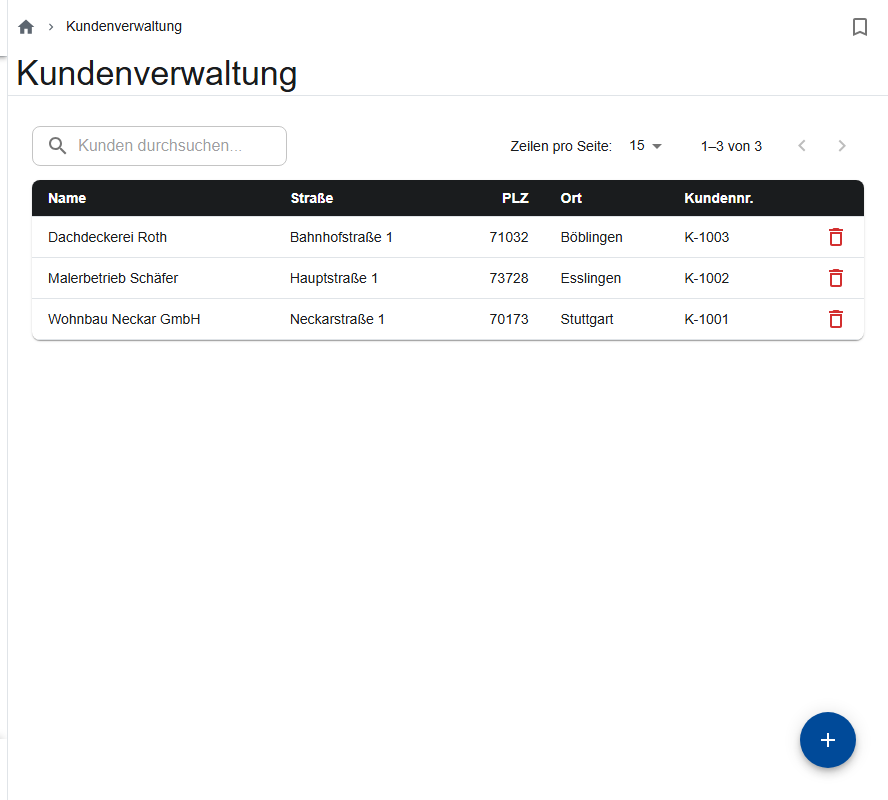
Adding a customer
- Tap Add customer (+).
- Enter the Customer name, and optionally an email address and phone number. Each name can only exist once (“A customer with this name already exists.”).
- Address: use “Search address” or enter it by hand, with street, house number, ZIP code and city.
- Save.
Changing or deleting a customer
Open the customer and change it, or delete it with the trash can icon in the overview or with Delete in the customer.
The warehouse can only do this on the day the customer was created (“Customers may only be altered/deleted on the day of creation.”). Later corrections are made by the office.
Adding contact persons
Under Contact persons, you add the people to contact (Add contact person, name and email address). In a construction site, you choose one of them as the Contact Person; release emails go to them. In ScaffConnect, the Customer number is optional.
Unsubscribed email addresses
Every release email contains a link that lets the recipient unsubscribe from release emails, dismantling notices or both. These emails then go to the site manager only; in the section, a note appears next to the email field.
If the recipient wants to get them again, you can undo the unsubscription, but only with their consent:
- Open Customer management on a computer.
- In the browser's address bar, change the ending
/customersto/customers/unsubscribedand press Enter. - In the row of the address, tap the remove icon and confirm.
The office and site managers who are allowed to open customer management can do this.