Tool rental
With tool rental, the warehouse lends tools to a person, for example a cordless drill to a crew member. You find it under More… → Warehouse → Tool rental. It does not change the stock.
Lending tools
- Tap Create rental.
- Borrower: the person's name. The app suggests users, but you can enter any name.
- Optionally, a Note.
- Add the tools with Add part, from the catalog or typed in freely. On a phone, Next takes you to the tab with the tools.
- Save, check the rental, and then the borrower signs. With Confirm, the rental is created.
Recording a return
You record a partial return the same way:
- Open the rental.
- Tap Return tool (①) next to the tool.
- Check Returning person and Quantity and tap Return.
- The warehouse worker signs (Warehouse confirmation).
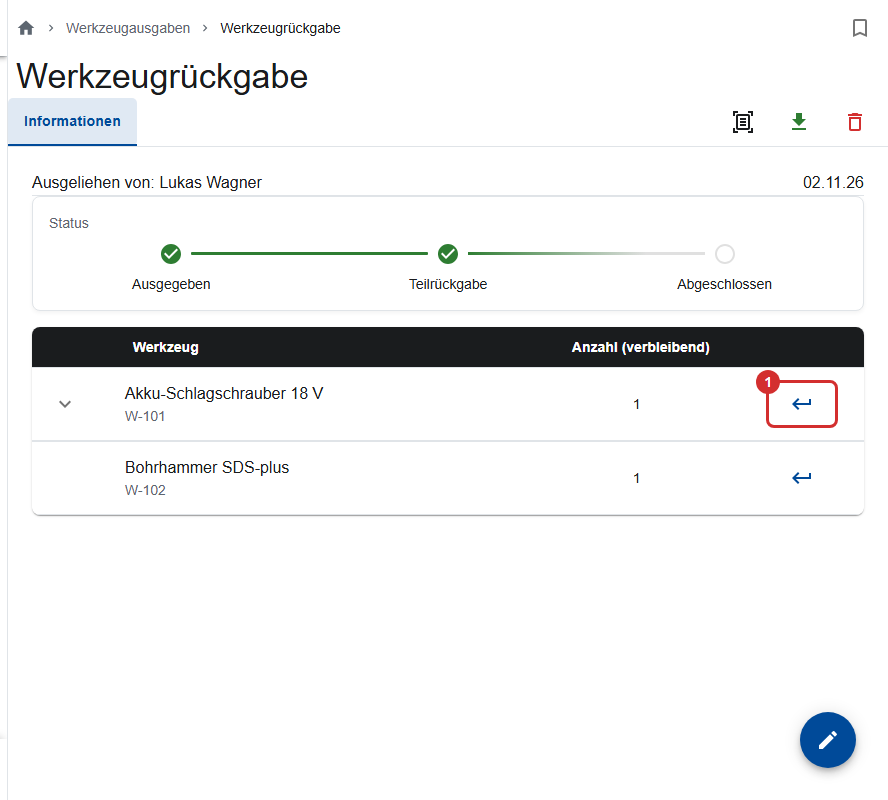
Under Show returns, you see for each tool who returned how many and when, and you can download the PDF of each return. If a return was recorded by mistake, remove it there with Delete return; its PDF is deleted with it.
Finding rentals
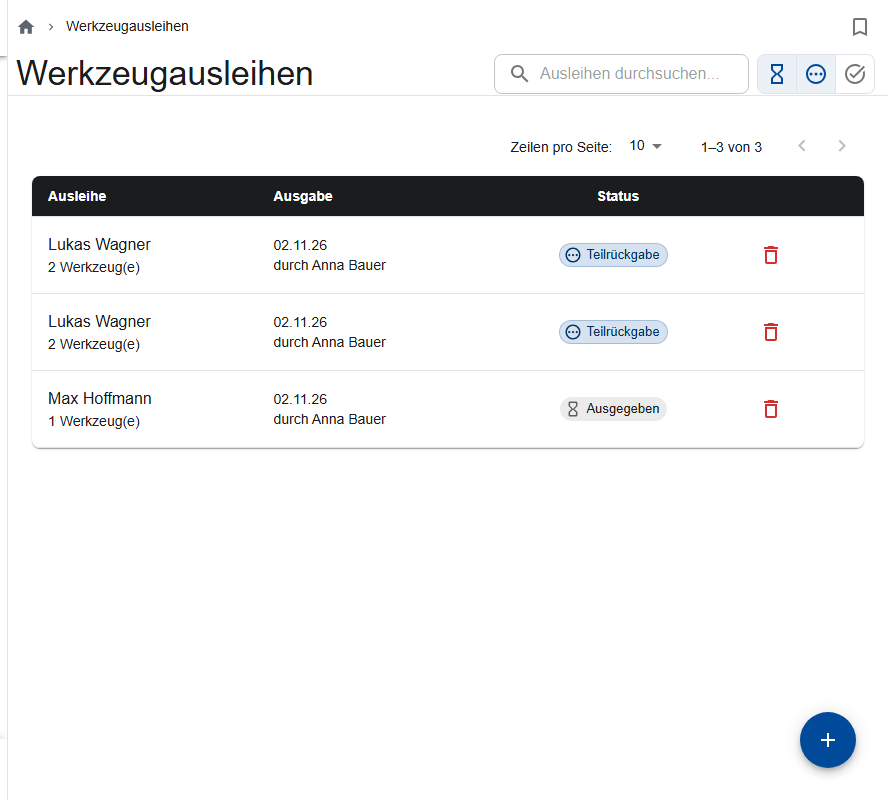
By default, the Tool rentals list shows the open rentals. To show completed ones, use the check mark icon.
| Status | Meaning |
|---|---|
| Issued | Nothing returned yet |
| Partially returned | Some of it is back |
| Completed | Everything is back |
Editing or deleting a rental (office)
Only the office can edit or delete a whole rental. With the pencil, it changes the rental without a new signature. A tool with returns can't be removed, and its quantity can't go below what has already been returned. Download gives you the rental as a PDF.