Billing
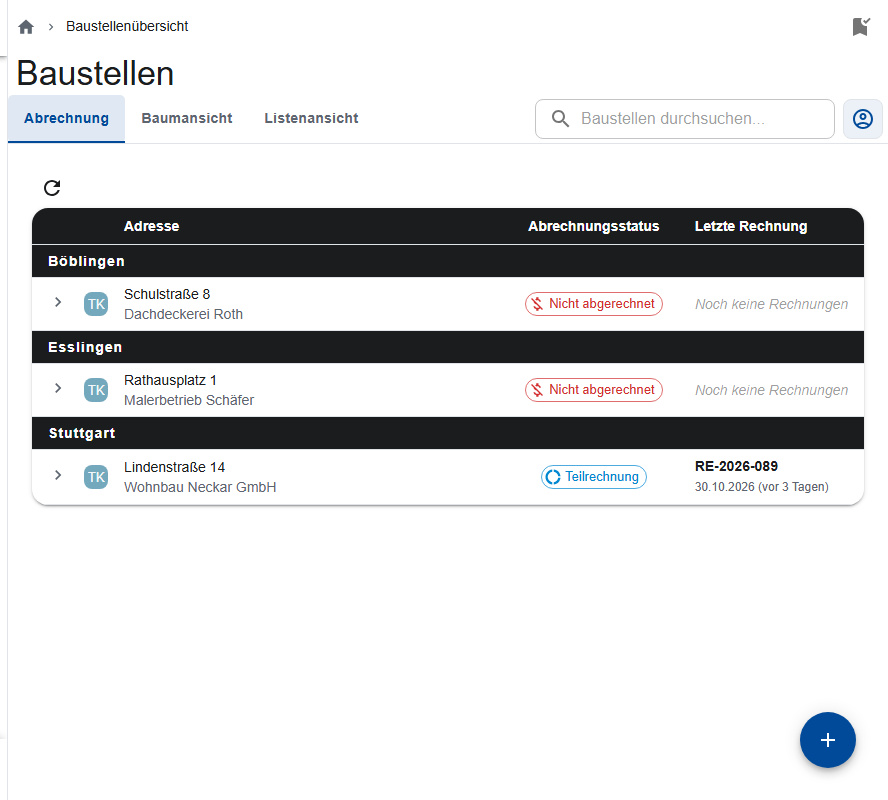
Under Construction sites → Billing you see which construction sites need to be billed. ScaffConnect doesn't write invoices: you enter the invoices from your accounting program, so it's clear which work orders have been billed.
What the overview shows
The open construction sites are grouped by district or city, each with its Billing status (Not billed or Partial invoice) and Last invoice.
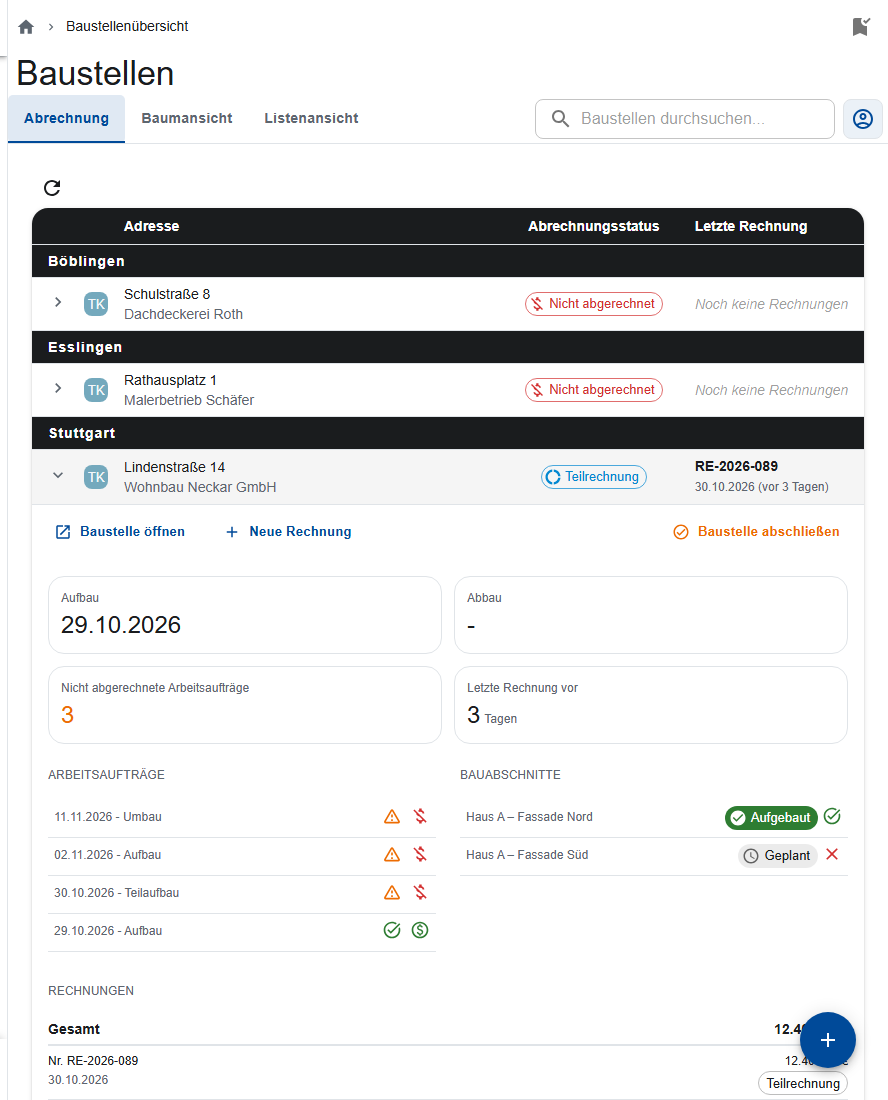
When you expand a construction site (arrow on the left), you see:
- the cards Assembly, Dismantling, Unbilled Work Orders and Last invoice … days ago,
- the sections with their construction state and whether the scaffold is released or closed,
- every work order with “Report available” or “Report missing” and “Billed” or “Not billed”.
Entering an invoice
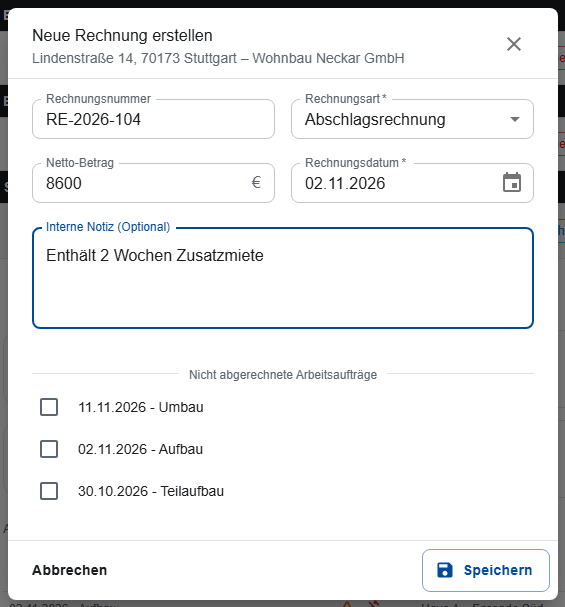
- Expand the construction site and choose New Invoice (on the phone Invoice), or go to the construction site's Invoices tab.
- Invoice type: Partial invoice or Final invoice.
- Invoice date, optionally Invoice number and Net amount.
- Under “Unbilled work orders”, tick the orders that the invoice covers. An order can only be in one invoice.
- Optional: Internal Note.
- Save.
The chosen orders then count as billed. The construction site's Invoices tab lists all invoices with the total; click one to open Edit invoice.
Final invoice
When you save a Final invoice, the construction site is finished automatically and disappears from billing. There is only one per construction site.
If more work comes up afterwards, reopen the site (Reopen Construction Site). You can still enter partial invoices after that.
Deleting an invoice
- Click the invoice to open Edit invoice.
- Tap Delete and confirm with Permanently delete.
The invoice's orders are then unbilled again. If you delete the final invoice, reopen the construction site by hand so it shows up in billing.
Finishing a construction site without a final invoice
If everything is done and there's no final invoice, finish the construction site with Close construction site in billing or Finish Construction Site in the site itself. Reopen Construction Site brings it back.
Who may do what?
Site managers and the office use billing.