Time tracking
Under Time tracking you enter your working time; the clock at the top right leads here from every page. You can enter and change times for today, yesterday and the day before yesterday. The office enters older days.
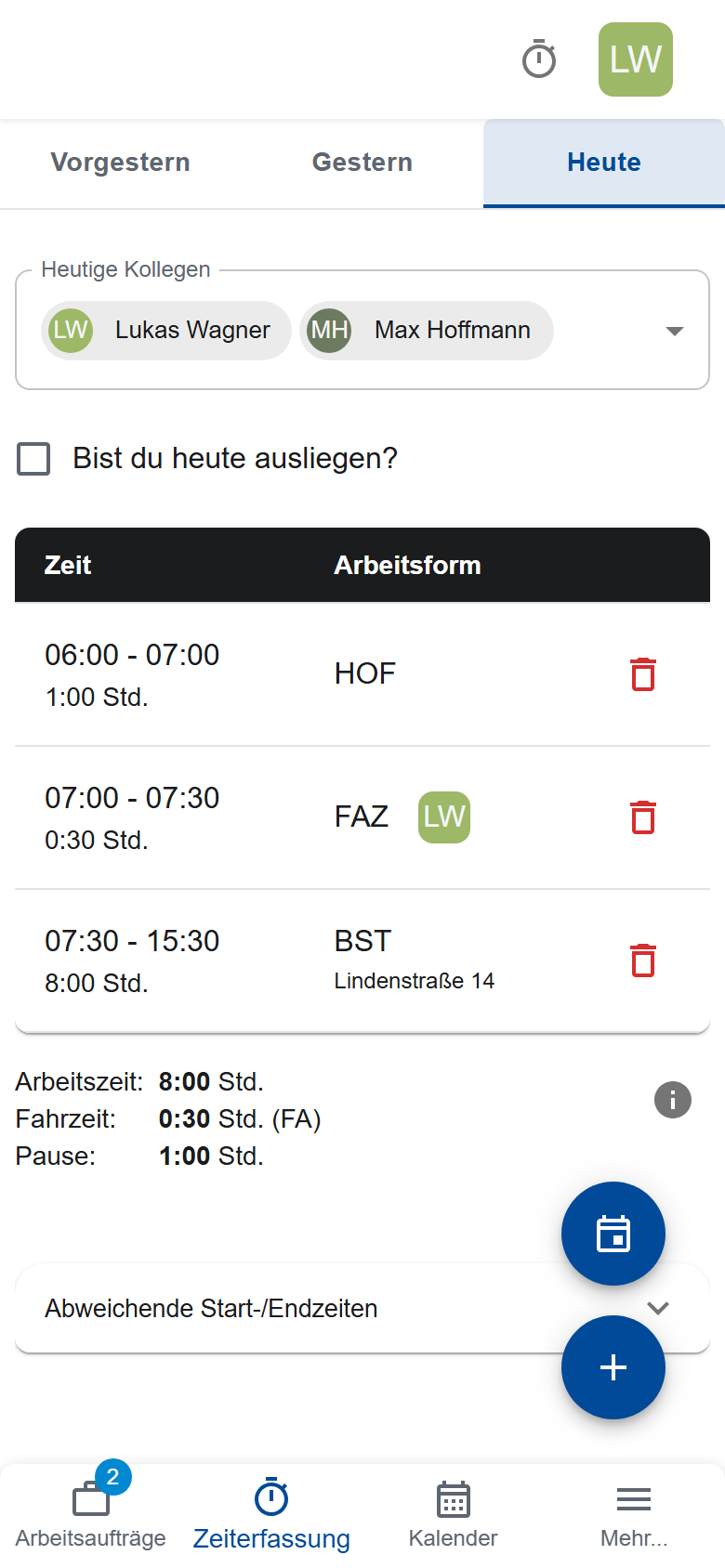
Entering working time
- Choose the day at the top: The day before yesterday, Yesterday or Today.
- Tap +.
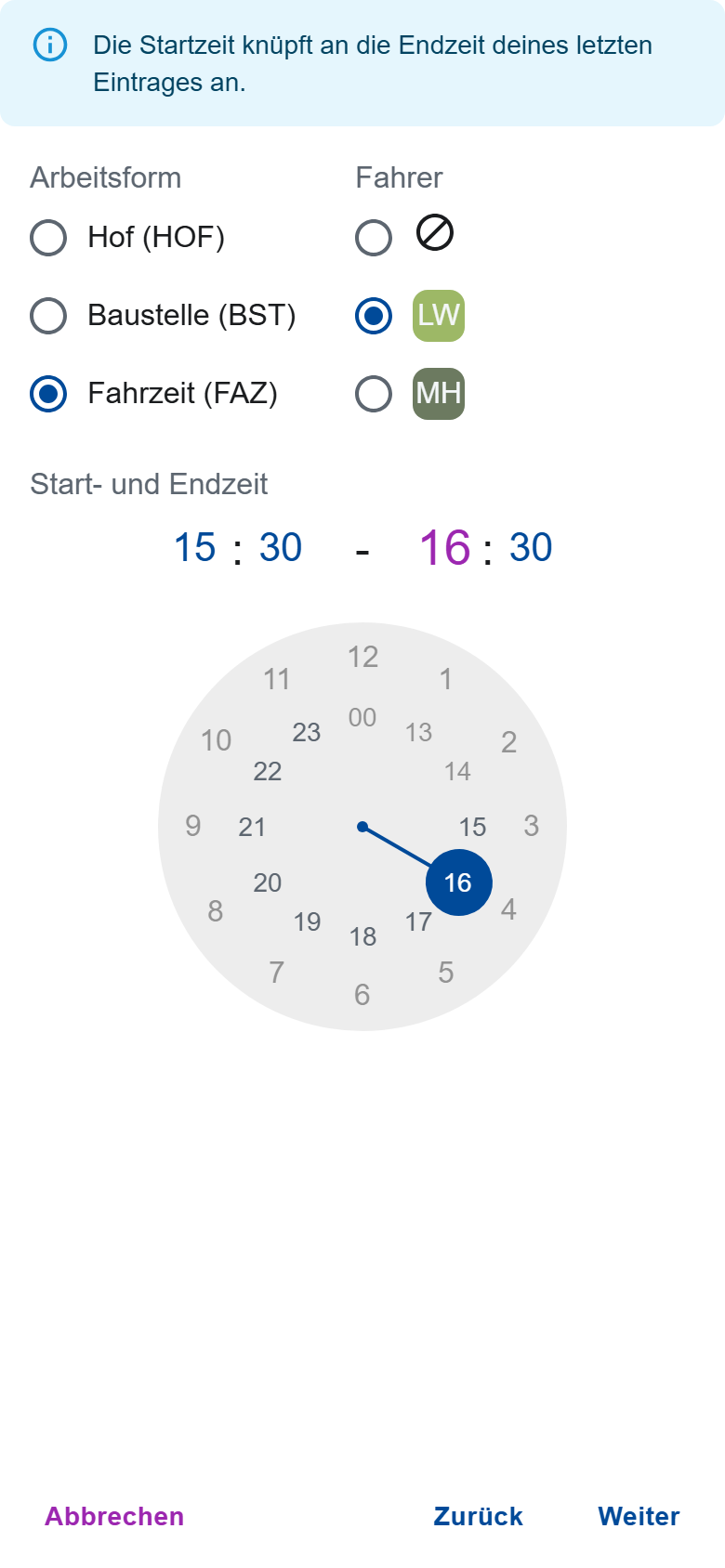
- Choose the Type of work: Yard (HOF), Construction site (BST) or Travel time (FAZ). For travel time, choose under Driver who drove.
- Set the Start and End Time. Entries must not overlap.
- For construction site work, enter a Description or the construction site. The app suggests the sites of your work orders.
- Save the entry.
At the bottom you see your work time, driving time and break. The office sets the break. If the app reports a gap or a trip without a driver, complete your entries. If you stay away overnight, tick Are you away on-site today?.
Entering colleagues as well
One person in the crew enters the times for everyone.
- Under Today's colleagues, select the colleagues who were there.
- Enter the times as above. They apply to the colleagues as well.
- If a colleague came later or left earlier, enter that under Deviating start / end times.
If a colleague has already recorded their own times that day, the app asks whether to overwrite their entries.
When a colleague has entered you
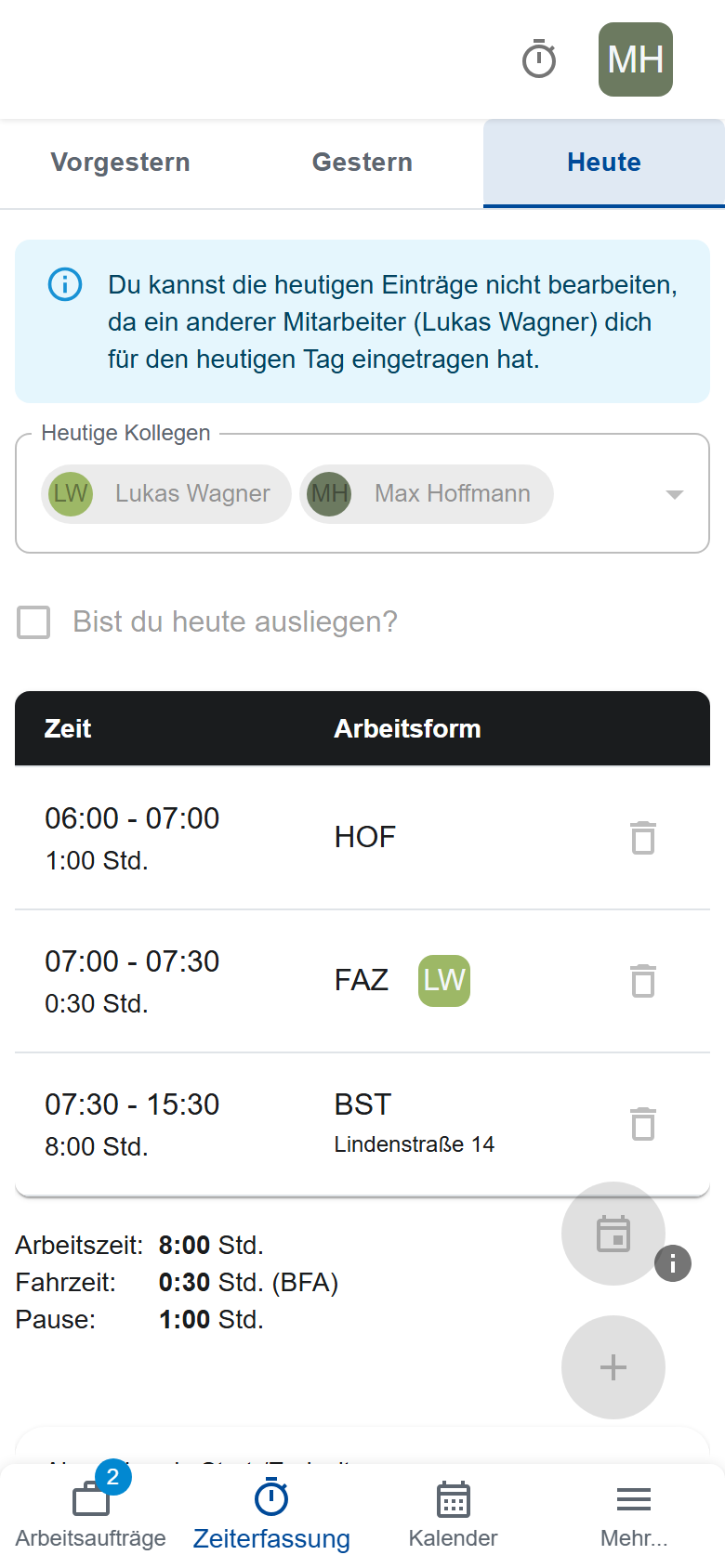
Your time tracking then shows a notice with their name at the top. You see their entries, but you can't write any of your own for that day. If something is wrong, tell them; only they or the office can change the day.
Construction site time and work orders
If you're the crew leader in a work order that day:
- You can enter construction site time only once you've accepted the order (Confirming the briefing).
- It starts 30 minutes before the acceptance at the earliest.
- It only counts once the report is submitted (Submitting the report).
Entering an absence
- Tap the calendar icon above the +.
- Choose the reason, for example Sick or Vacation.
Tap - to take the absence out again. As long as it's set, the entries of that day don't count. Request vacation beforehand (Requesting vacation).